Tree pass
Random binary tree demo
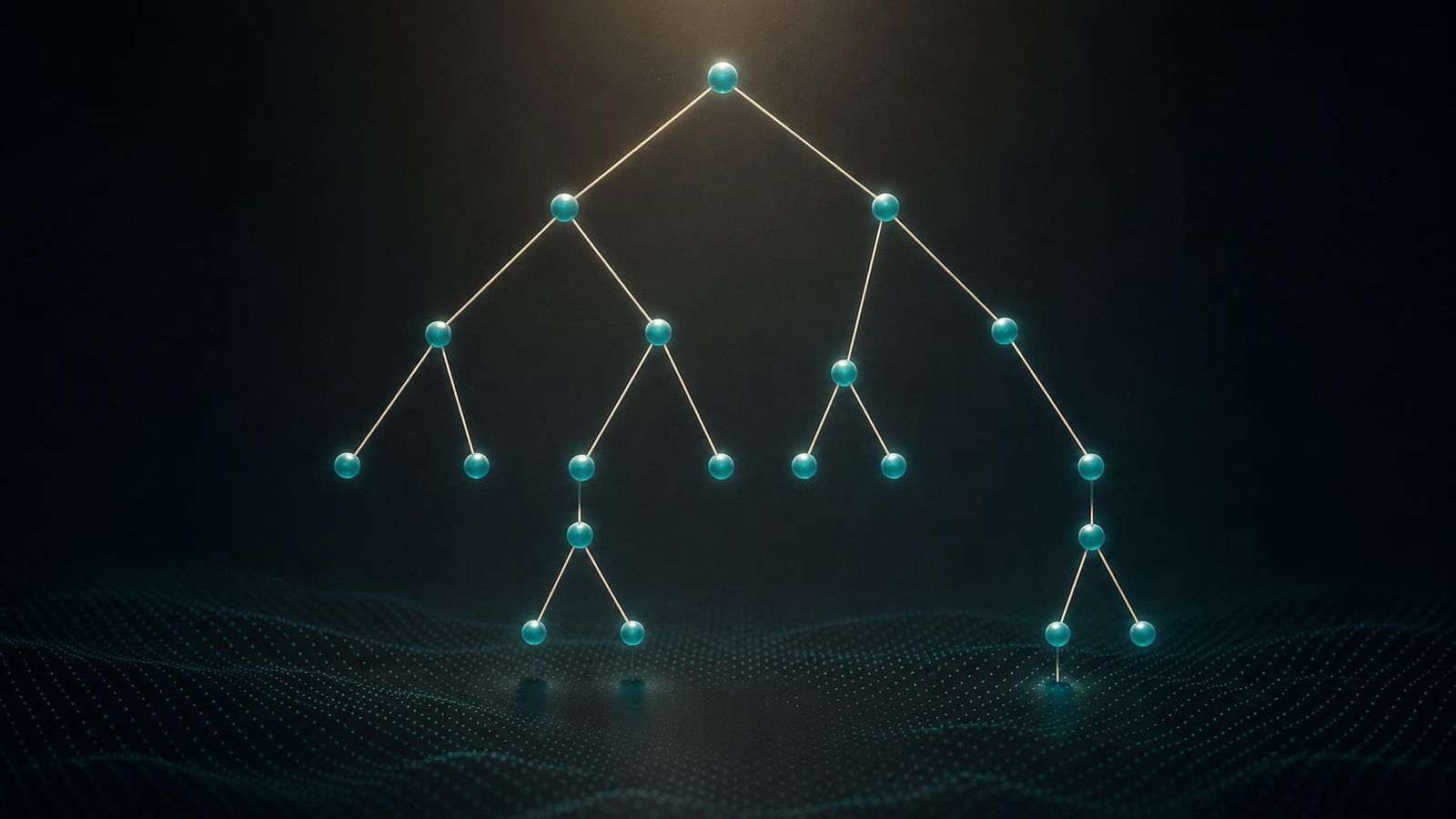
A short tour of the random binary tree demo. The picture is small, the lesson is large - tree-shaped data exposes layout behaviour that random graphs hide.
How the tree grows
The random binary tree demo starts with a single root vertex. At each step, it picks a random existing leaf and gives it a new child. The new child becomes a leaf. The process repeats.
That is the whole construction. It is small enough to keep in your head and rich enough to expose a surprising number of layout behaviours.
A few properties of the result:
- The tree is binary by convention, but the demo grows it one child at a time. After
nsteps the tree hasn + 1vertices. - The shape is highly unbalanced. Some branches grow long and thin. Others stay short.
- The depth grows roughly as the square root of the number of vertices for this growth rule. The picture is taller than you expect.
Why an unbalanced tree is the interesting case
A balanced binary tree is a tidy picture. Any reasonable layered layout draws it cleanly. The interesting work begins when the tree is uneven.
In an unbalanced tree:
- Some branches need a lot of vertical room. Others need almost none.
- Some subtrees are dense in their corner of the picture. Others are sparse.
- The root is no longer near the centre of mass in any obvious way.
A layout that handles this gracefully is doing something more interesting than just spacing nodes evenly. It is making decisions about which subtree to give room to.
What to watch for
When you read the picture, the things worth tracking are:
- Vertical separation between depths. If the layout collapses depths together when a branch is thin, the picture loses the tree structure entirely.
- Sibling order. Does the layout keep siblings near each other, or does it scatter them as the tree grows?
- Reaction to a new leaf. A new child appearing on a long branch should not move the whole tree. A layout that ripples too aggressively makes the picture hard to read while it grows.
- Camera handling. A growing tree usually needs the camera to pull back. A viewer that does not handle this gracefully forces you to fly the camera manually as the tree grows.
These are the same behaviours that matter for any tree-shaped data: file system browsers, abstract syntax trees, phylogeny diagrams, decision trees. The demo is a small example of a problem that recurs everywhere.
Force-directed layouts on trees
Force-directed layouts treat every edge as a spring and every vertex as a charged particle. That works well for general graphs. Trees expose a weakness.
The weakness is that a force-directed layout does not know the edge is part of a hierarchy. It treats a parent-child edge the same way it treats any other edge. The result is often:
- The tree is laid out, but the hierarchy is not visually obvious.
- Long branches curl into themselves rather than extending outward.
- Subtrees rotate over time even though the structure has not changed.
There are workarounds. You can bias the layout to put the root at the top. You can add invisible forces that push depth d + 1 below depth d. You can switch to a layered layout entirely. The demo does not do any of those things. It uses a plain force-directed layout precisely so that you can see the failure mode.
Layered layouts on trees
A layered layout knows about the hierarchy. It puts the root at the top, the depth-1 vertices on the next row, the depth-2 vertices on the next row, and so on. The picture is usually easier to read.
The trade-off is that a layered layout is brittle in the face of changes. When a new node arrives, the whole row may shift to make room. When a node is removed, the remaining nodes either leave a gap or shift again to close it. Force-directed layouts handle change more gracefully because they negotiate the picture continuously.
A practical viewer often supports both modes. The demo is a good place to switch between them and see the difference.
A conceptual sketch
A short pseudo-code sketch of the growth rule:
root = create_vertex() |
That is enough to drive the picture. The viewer takes care of the rest.
When the demo gets too big
Past a few thousand vertices the picture becomes hard to read regardless of layout choice. The vertices are too small. The edges are too dense at the deeper levels. The viewer is still doing useful work, but you are not getting useful information out of the picture.
That is a real-world limit for tree viewers, not a flaw in this specific demo. A 100,000-node tree is best explored by focusing on subtrees rather than the whole thing. The demo cannot show that mode of working, but it can show you the point at which the whole-tree view stops being useful.
A note on tree-shaped data in general
If you came to this page looking for advice on visualising a real tree - a file system, a class hierarchy, a parse tree - the demo gives you the framework. Decide whether you want layout to reflect hierarchy (layered) or to find a balance through forces (force-directed). Decide how the viewer should respond to changes. Decide where the camera lives.
Those three decisions account for most of the difference between a tree viewer that helps and one that frustrates.
Where to go from here
If you came in from an old link, nothing has been moved. The demo lives at the same path it has always lived at.